EZ-MES is a real-time, browser-based Manufacturing Execution System designed to manage, track, control, document, and optimize work-in-process on the factory floor.
Overview
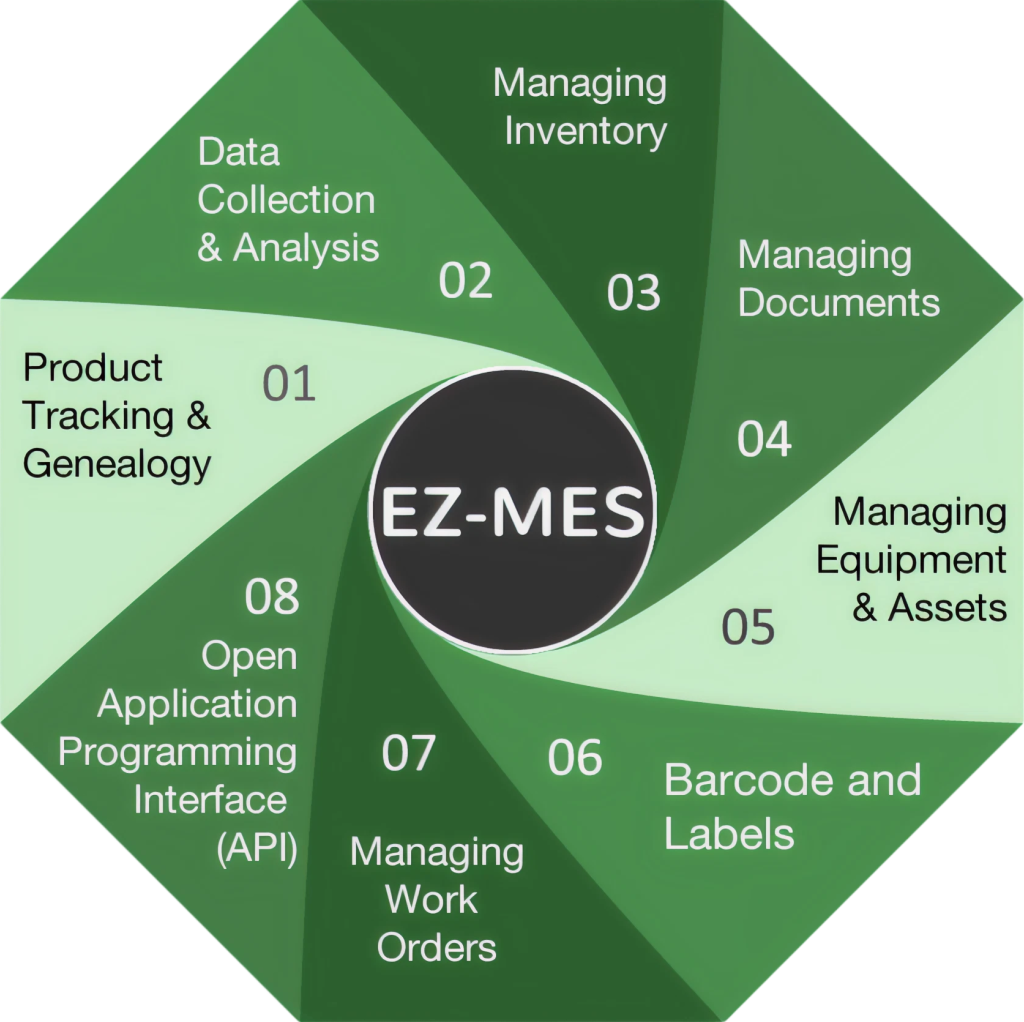
Traceability
Gain complete visibility into every product moving through your factory. EZ-MES provides real-time WIP reporting, configurable serial number logic, full product history from start to finish, and comprehensive genealogy with unlimited hierarchy levels.
Many industries require full forward (customer-facing) and backward (supplier-facing) traceability. EZ-MES lets you locate any part, lot, batch, or assembly quickly and accurately.
Electronic Travelers follow each part, batch, or lot through its defined production flow. They act as the centralized, real-time data hub, giving operators instant access to all relevant information for that specific unit.
Materials
Track and optimize materials to reduce costs and protect against loss.
Know exactly what you have, where it is, and how it moves. EZ-MES tracks inventory levels, stock locations, and material movement.
Process data
Capture detailed process data at every step to drive informed decisions and continuous improvement.
Use the collected data to improve efficiency, quality, and yield. Access it through built-in reports, Excel exports, or SOAP interfaces.
Scheduling
Plan, prioritize, and execute production efficiently with structured workflows that keep every job on track.
EZ-MES organizes work using Travelers, which can be linked to a single Work Order. Each Traveler follows a routing defined by flexible Flow Definitions, and priorities are calculated automatically from due dates.
Document control
Work instructions, specifications, SOPs, checklists, drawings, certifications, and more, managed in one place and always up to date.
Store, organize, and manage all manufacturing documentation in one location. Operators always see the correct version at the right step, reducing errors and improving compliance.
Documents can be automatically presented to operators during specific operations—ensuring they have the information they need, exactly when they need it.
Full revision control keeps a complete history of changes, so only approved, current versions are used in production.
A searchable document history supports regulatory compliance and simplifies audits.
Labeling
Simplify data capture and improve traceability with flexible barcode and labeling tools designed for fast, accurate shop-floor operations.
Most reports include machine-readable identifiers, and you can design custom labels with product-specific details, branding, or images.
Maintenance
Maintain complete control over your production equipment with centralized tracking, maintenance, and documentation that keeps operations running smoothly and compliantly.
With EZ-MES you can:
Ensure that everything required to start an operation: machines, materials, documents, and tools, is available and properly configured. EZ-MES includes revision control for all configuration elements to maintain accuracy and compliance.
Integration
Seamlessly connect your existing tools, software, and equipment to create a fully integrated manufacturing ecosystem.
The EZ-MES API gives you access to core MES functions, enabling seamless integration with external software, automation equipment, and custom applications.
Ecosystem
Business
Bills of Materials
Production orders
Financials & accounting
Factory floor
Production execution
Manufacturing workflows
Systems
Controlled API communication
Data exchange
External systems
How EZ-MES works
EZ-MES is built around the manufacturing operation itself. Each operation defines what the work requires and records the information generated while it is carried out.
1
Products wait in the queue until an operator is ready to begin processing.
2
The operator scans or selects the product, and EZ-MES starts capturing activity and data.
3
The operator completes the work and signs off. Data is saved and the product moves on.
4
The output becomes the input for the next operation in the production flow.
Operations can include work instructions, specifications, materials, equipment, personnel, locations, automation, data collection, and conditional workflows.
Explore MES BasicsExpand
Modules build on EZ-MES with focused interfaces and extra capabilities for specific operational needs, without re-engineering the core system.
EZ-MES can capture operator input, machine readings, sensor/IoT data, measurement results, timestamps, environmental conditions, and more.

